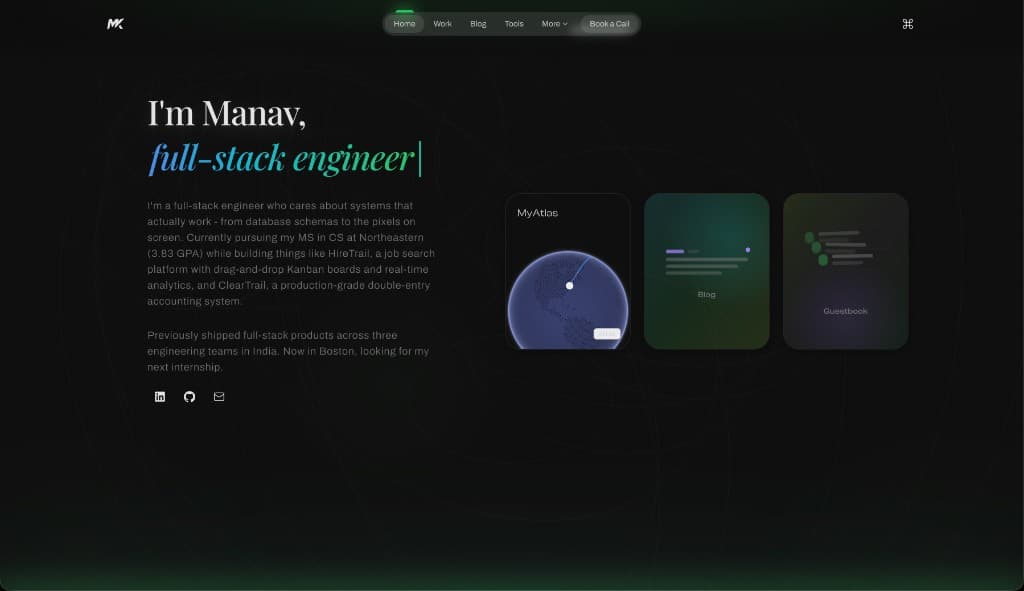
Building This Portfolio
Every developer portfolio tells two stories: the content you put on it, and the engineering decisions behind it. This post is about the second story.
Why Not a Template?
Templates are fast. But they signal that you chose speed over craft. For a site that's supposed to showcase engineering ability, I wanted every pixel to be intentional — and every interaction to demonstrate real technical depth.
The Stack
- Next.js 15 with App Router for file-based routing and server components
- Tailwind CSS v4 with CSS-only theme configuration (no
tailwind.config.ts) - Framer Motion for page transitions, scroll animations, and micro-interactions
- D3.js + TopoJSON for the interactive world map ("MyAtlas")
- Color themes (Midnight, Blueprint, Terminal, Test) driven by CSS custom properties
The Atlas: D3 Meets React
The interactive map was the most complex piece. D3 wants to own the DOM. React wants to own the DOM. Making them coexist required a clear contract:
- React owns the container
<svg ref={svgRef}> - D3 renders inside it via
useEffect - State (which country, which city) lives in React hooks
- D3 re-renders when props change
The "bloom from dot" interaction — where clicking a city dot causes an experience card to scale up from that exact position — required converting SVG coordinates to screen coordinates using getBoundingClientRect() math.
Performance Decisions
- Dynamic imports for the D3 atlas — code-split so it doesn't block initial paint
- Native browser scrolling — no smooth-scroll library, so behavior matches OS defaults
- The home page JS bundle dropped from 29kB to 7kB after adding
next/dynamic
Micro-interactions That Matter
Small details that elevate the experience:
- Magnetic buttons that pull toward your cursor
- Film grain texture at 3% opacity — barely visible, but adds editorial depth
- Scroll-linked UI (e.g. experience timeline) tied to scroll position without extra smoothing
- Cursor glow that follows your mouse across the page
- Text reveal animations that blur-in word by word
The Theme System
Three themes, zero JavaScript for color switching. Each theme is a set of CSS custom properties under a [data-theme] selector. Tailwind v4's @theme block registers them as first-class tokens:
@theme inline {
  --color-accent: var(--color-accent);
  --color-bg-primary: var(--color-bg-primary);
}
This means bg-bg-primary generates background-color: var(--color-bg-primary) — and switching themes is just changing one attribute on <html>.
What's Next
- Individual project case study pages with architecture diagrams
- Blog with MDX (you're reading the proof it works)
- Guestbook with GitHub OAuth
- About page with bento grid layout
Building this was an exercise in restraint as much as ambition. Every animation earns its place. Every component has a purpose. And the code is structured so that adding a new project or blog post is just adding a data entry — no layout work required.
Thanks for reading. If you want to discuss the engineering decisions or have suggestions, reach out via the contact page.